Written and reviewed by Bc. Petr Kučera, MSc., MBA
This guide is for a limited test to learn from, not a replacement for Google Ads. For each step, we explain what OpenAI says, what Czech advertisers and agencies have found, and what to watch for. Everything below draws on OpenAI’s documentation and advertisers’ and agencies’ experience, with links to the sources. We cover the general principles of paid advertising in our article on how PPC campaigns work.
The ad policies have changed six times since March 2026, from version 1.0 to 1.6. Figures and limits apply as of the date above (the Conviu update is from 30 September 2026). Recheck the sources before launching.
Before you open Ads Manager, check three things: who will see your ads, whether your industry may advertise, and whether OpenAI’s bot can get through to your website.
According to OpenAI’s Ads in ChatGPT page, ads appear only on the Free and Go plans. Users on Plus, Pro, Business, Enterprise and Edu see no ads, and neither does anyone under 18.
Personalized ads aren’t available in the EEA or Switzerland yet (“not initially available”). The language of an ad may reflect the user’s location, language settings and the language of the conversation.
Advertisers receive only aggregated information that doesn’t identify anyone. They have no access to users’ chats, chat history or memory. Next to each ad, users can choose “About this ad” or “Ask ChatGPT”.
As of 29 September 2026, the latest version of OpenAI’s ad policies is v1.6 from 10 September 2026. In the Czech Republic, the initial phase focuses primarily on consumer segments.
| Sector | Status as of 29 September 2026 (the Czech Republic and markets outside the US) |
|---|---|
| Home and lifestyle, local services, travel and experiences, entertainment, digital products, education | Primary consumer sectors in the initial rollout |
| General health and wellness | May be allowed without treatment claims |
| Financial tools that don’t sell financial products, such as budgeting apps, financial software and financial education | Generally allowed |
| Legal education | Conditionally allowed: no legal services |
| Health services | Generally prohibited |
| Financial services | Generally prohibited |
| Legal services | Prohibited |
Even in allowed industries, ads don’t appear in sensitive or vulnerable conversations, such as those about mental health.
Both the creative and the landing page must fall into an allowed category. OpenAI reviews at three levels: the advertiser (business verification), the creative together with the landing page, and the placement. Review is mostly automated, with human oversight. If a page can’t be reviewed, the ad won’t launch. Since version 1.6, OpenAI has reserved the right to reject ads for business reasons or because of competitive positioning.
RUJZL describes one pharmacy e-shop that was rejected with the reason “the industry does not meet the requirements”, and the appeal link didn’t work. This is evidence from a single account, not a general rule.
Our separate analysis of ChatGPT Ads in the Czech Republic covers what Czech advertisers may run and what the first advertisers paid per click.
OpenAI says it directly: “You must allow OAI-AdsBot.” It recommends allowing OAI-SearchBot as well (OpenAI’s crawler guidance for advertisers).
In practice, this means:
openai.com/adsbot.json.Check the bot first. If it can’t get through, even great ad copy won’t fix the problem.
According to OpenAI’s Sponsored Agents page, Sponsored Agents is a limited alpha for selected advertisers, and OpenAI is not accepting applications. Don’t expect this format in a regular self-service account.
Ads Manager is the self-service interface for creating and managing ads. As of 29 September 2026, OpenAI labels it Ads Manager Beta, so both the interface and the rules may change.
A self-service account is tied to the advertiser’s legal entity in a supported country. You sign up at ads.openai.com. OpenAI recommends signing in with an existing OpenAI account “tied to your work email”. For details, see OpenAI’s guides to account setup and the quickstart.
The website URL is optional at sign-up. You can skip it and create a campaign later.
OpenAI recommends: “Create a separate account for each advertiser”. One login can then switch between accounts. For agencies, this means: the client owns the account, and the agency works in it as a user.
An agency managing a client’s campaigns must have a written agreement with the advertiser before it submits any campaign, and that agreement must bind the advertiser to OpenAI’s Advertising Terms. The agency owes OpenAI payment regardless of whether it has invoiced the advertiser or collected the money.
| Role | OpenAI definition | In practice |
|---|---|---|
| Admin | At least one required in every ad account | |
| Member | “Create and manage campaigns” | RUJZL had the opposite experience: the role wasn’t enough to create campaigns. Check the role assigned in your specific ad account. |
| Viewer | The third role alongside Admin and Member |
RUJZL reported that Member was insufficient, contrary to OpenAI’s official definition. This is one team’s experience. If you run into this, first check that you’re in the right ad account and that the role is actually assigned to you, directly or through a group. According to OpenAI, Member can create and manage campaigns.
The current account setup help doesn’t mention a Persona role. It lists Admin, Member and Viewer.
Larger companies can manage access through company-level identity management, called a tenant. For details, see OpenAI’s guide to identity and access.
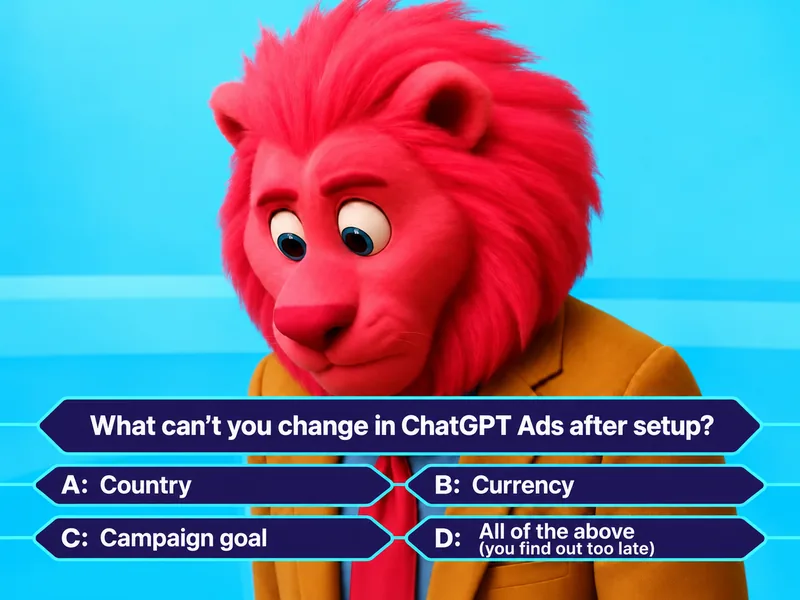
The account’s country or region, currency and time zone “cannot be changed after account creation”, according to OpenAI’s account setup guide.
Sources disagree on the currency. OpenAI’s official table of minimums lists CZK 350. RUJZL reported as of 24 September 2026 that it was billed in euros and that koruna was not available yet. According to Digichef, the minimum daily budget in Czech accounts is EUR 15. Conviu reported on 30 September 2026 that it set up its account in koruna and Ads Manager accepted a minimum of CZK 350. Check the currency in the sign-up form, because you can’t change it later.
| Setting | Can change? | Source |
|---|---|---|
| Country or region | No | Account setup |
| Currency | No | Same source |
| Time zone | No, it also sets the budget week | Same source |
| Campaign objective | No, you need a new campaign | Creating campaigns |
| Campaign-total budget | Only to daily, not back | Billing and payment |
| Brand Name | Yes, with a new brand review; delivery is paused until approval | Account setup |
| Legal Name | Yes, but business verification restarts | Same source |
| Payment threshold | Not manually | Billing and payment |
| Czech tax ID (DIČ) | Can be added or edited | Same source |
The account has three names:
Changing the Brand Name triggers a new brand review, and your ads are paused until it’s approved. Changing the Legal Name restarts business verification. Get both right the first time.
OpenAI’s onboarding and policy troubleshooting guide distinguishes four separate checks:
These are separate stages, so if something gets stuck, work through them one at a time. According to OpenAI’s FAQ, business verification can take up to 7 business days, and an unverified account may not deliver ads. A domain is approved only if “your advertiser identity matches your provided domain”. If your company’s domain differs from the name of the legal entity, we recommend sorting that out in advance.
For supported rejection types, for example by industry, ad or domain, OpenAI’s onboarding troubleshooting guide says an appeal is the fastest route. If no appeal is available, or more than 7 days pass without a decision, contact OpenAI support. You’ll find the contact address in OpenAI’s help article.
According to OpenAI’s billing and payments guide, a self-service account pays by card. Invoicing, labeled Invoice billing, may be available to eligible advertisers managed by OpenAI’s sales team.
Key payment points from the help center:
For the EEA and Switzerland, the contracting party is OpenAI Ireland Ltd. and Irish law applies, according to the Advertising Terms. Fees are exclusive of taxes (“Fees exclude applicable taxes”). Late payments accrue 1.5% of the overdue amount per month. You can dispute charges within 30 days of the activity date.
An ad account has three levels: the campaign, below it the ad group, and below that the ad, as OpenAI’s quickstart lays out. OpenAI recommends several ad groups per campaign so you can test different topics, value propositions or messages, according to its guide to creating campaigns. We cover how to split ad groups in step 4, under context hints.
| Objective | You pay for |
|---|---|
| Views | Every thousand impressions (CPM) |
| Clicks | Each click (CPC) |
| Conversions | Optimized for conversions, billed per click, or per impression for eligible advertisers |
You don’t pay per conversion (“Ads are not billed per conversion”), according to OpenAI’s billing and payments guide.
You can’t change a campaign’s objective after it’s created; a different objective requires a new campaign. Clone also always creates a new campaign with a different objective or another supported billing model, according to OpenAI’s guide to creating campaigns.
The Conversions objective requires exactly one standard event; custom events aren’t supported yet (more in step 5). Choose this objective only once your conversion tracking works and the standard event is coming in. OpenAI’s guide to conversion-optimized campaigns doesn’t specify how many prior conversions you need. It only advises judging performance “over enough volume” before big changes to bids, budgets or creatives, and it has no recommended bid for this objective yet (“There is no recommended bid amount at this time”).
Minimum daily campaign budgets follow OpenAI’s table in its guide to creating campaigns and depend on the account currency:
| Currency | Minimum daily budget |
|---|---|
| CZK | CZK 350 per day |
| EUR | EUR 15 per day |
| USD | USD 25 per day |
Remember the currency conflict from step 1: the table lists koruna, but the first Czech accounts from early September ran in euros. For a 30-day campaign, the CZK 350 daily minimum corresponds to CZK 10,500.
How the budget is spent:
Leave a buffer when pausing at the end of promotions or seasonal campaigns, since paid delivery may run on.
According to OpenAI’s ChatGPT Ads basics, the auction is a “relevance-weighted, second-price auction”.
| Strategy | What we know |
|---|---|
| Fixed bid | The only strategy that allows a campaign-total budget in the API |
| Maximize clicks | RUJZL, no cap, in one day: 1,671 impressions, 23 clicks, CPC EUR 0.72, CTR 1.4% |
| Maximize conversions | Makes sense only once conversion tracking works, see step 5 |
In the API, the maximum bid goes in max_bid_micros, in millionths of the currency unit, so 1,000,000 equals 1 unit of currency (OpenAI Developers on bidding and budgets).
Choosing bids:
None of these experiences is a benchmark. They come from individual accounts.
bid_too_low “is guidance, not a serving restriction”, according to OpenAI Developers’ troubleshooting guide. For 24 hours after you edit an ad group, the warning doesn’t appear. And the absence of the warning doesn’t prove that your bid is competitive enough.
OpenAI has not published an official bid floor as of 29 September 2026.
Here are the targeting options and their limits, based on OpenAI Developers on campaign targeting and OpenAI’s guide to creating campaigns:
excluded_locations, you can list up to 2,500 IDs. Exclusions take precedence over inclusions.Custom audiences are lists of your own customers. For the EEA, OpenAI recommends not using them until personalization becomes available, according to its guide to creating campaigns. To include an audience, you need at least 25,000 matched users. For a Czech campaign, don’t count on audiences for now.
| Asset | Hard limit | Recommended | Source |
|---|---|---|---|
chat_card title | 3 to 50 characters | 16 to 24 characters | Ads API, bulk checklist |
chat_card description | Up to 100 characters | 32 to 48 characters | Same sources |
| Ad image | Square; minimum 640 × 640 px according to the developer guide; maximum 1,200 × 1,200 px and a public URL according to the bulk checklist | API overview, bulk checklist | |
| Account favicon | Minimum 128 × 128 px | Files API |
A hard limit defines what the API rejects. Recommendations are ranges OpenAI advises but doesn’t enforce.
RUJZL documented a Czech ad headline appearing under a ChatGPT answer. The documentation doesn’t describe separate language targeting. According to OpenAI, an ad’s language may reflect location, language settings and the language of the conversation.
An ad moves through the statuses in_review, rejected and approved, according to the Ads API reference from OpenAI Developers. If you edit a rejected creative, it goes through review again.
As of 29 September 2026, OpenAI doesn’t publish an official SLA for ad review. On the Shoptet blog, Jakub Herrmann of PLACEMENT.cz reports approval in roughly seven hours. That is a single experience.
In the same Shoptet blog post, Filip Stollar of Kontext.so cites the OpenAI team recommending at least 50 variants or creatives. A single experience, not an official OpenAI rule.
OpenAI’s official pages recommend several ad groups for different themes and messages, as we noted in step 2. We recommend a few measurable ad groups with distinct messages, not dozens of variants with minor differences.
If a new campaign shows no confirmed delivery and there’s no obvious obstacle, OpenAI advises you to “allow at least 24 hours after launch before reporting a zero-delivery issue”. If you see a hard error or a clear payment or review problem, contact support right away, according to its troubleshooting guide. Before you contact support, go through this checklist:
Context hints are topic cues at the ad group level. They tell the system which situations suit your ad. OpenAI wants “a clear, natural phrase focused on one idea rather than a list of disconnected keywords” (OpenAI’s guide to writing context hints).
Hints aren’t targeting rules and don’t guarantee impressions. They don’t handle location, scheduling or exclusions.
OpenAI wants hints to be Additional, Specific, Relevant and Accurate.
| Quality | In other words |
|---|---|
| Additional | Supplementary |
| Specific | Concrete |
| Relevant | On topic |
| Accurate | Precise |
OpenAI’s official examples of good hints:
Both examples describe a specific person and situation, not just a product category. The user’s prompt doesn’t have to match the hint’s wording exactly.
In the API, context_hints is an array of strings, and in bulk upload you write it as ["hint1", "hint2"], so one ad group can hold several hints. Sources: OpenAI Developers on Ad Groups and the bulk checklist. OpenAI doesn’t recommend how many hints to use per ad group or how long they should be.
In bulk upload, the list you upload is treated as complete and replaces the previous one. Any hint you leave out is removed.
If a use case needs different ad copy or a different landing page, give it its own ad group. If you’re only phrasing the same situation differently, add another hint to the same ad group.
The point about hints being optional comes from the experience of RUJZL. We recommend writing hints anyway; otherwise the system reads the situation from your ad copy alone.
Here is what RUJZL reported as of 24 September 2026. It had been uploading its feed since 4 September, with more than 40,000 products and 43,000 in the index. Product ads got zero impressions, while a control text campaign on the same account delivered normally. On 24 September, OpenAI support confirmed a country restriction.
According to the help center of Shoptet, a Czech e-shop platform, the feed for many e-shops is empty while they wait for OpenAI to fully open product matching in Europe. The feed lives at /openai/export/products.jsonl.gz.
OpenAI hasn’t published a list of countries for product ads. That doesn’t mean Czech product ads will never work. What this shows is that product ads on RUJZL’s Czech account weren’t delivering as of 24 September 2026.
| Method | Details |
|---|---|
| Manual upload | CSV or TXT |
| Hosted URL | A feed address you enter |
| SFTP | Files directly in the root folder |
Feed items expire after 2 weeks, according to OpenAI’s guide to creating campaigns from product feeds and OpenAI Developers on product feeds. We recommend manual upload only for testing. For ongoing use, set up automatic refresh through Hosted URL or SFTP.
The Delta API handles partial changes to the title, price and availability of existing products. It requires an already processed base catalog.
The Commerce upload spec prefers Parquet with zstd compression. Other supported formats are jsonl.gz, csv.gz and tsv.gz, encoded in UTF-8, according to OpenAI Developers on file upload. Recommended shards are roughly 500 MB and at most 500,000 items. A full snapshot is recommended at least once a day.
The product feed has nine basic required fields, according to the product spec from OpenAI Developers:
item_id, title, description, url, brand, seller_name, image_url, availability and price.
The schema also has the optional fields seller_url, return_policy, target_countries and store_country. The last two relate to your market settings.
| Name | Format |
|---|---|
availability | in_stock, out_of_stock, pre_order, backorder, unknown |
| Price in the file schema | Major currency units plus ISO code, for example USD 79.99 |
In the product feed, prices are in major currency units, according to the product spec from OpenAI Developers. In the Conversions API, the conversion value is an integer in the smallest currency unit. If both integrations are implemented together, point this difference out to your developer explicitly.
Depending on its size, a feed takes from a few minutes to a few hours to process. Products may appear in reporting up to 7 hours after delivery starts, according to OpenAI’s guide to campaigns from product feeds.
An upload moves through the statuses scanning, received, processing, completed, completed_with_errors, skipped and failed. Diagnostics include, for example, missing_required_column, invalid_value and unsupported_file_type; the list is not exhaustive.
completed doesn’t guarantee that a product is eligible to show. The Products tab in Ads Manager also doesn’t show the whole catalog (it “does not show every uploaded or ads-eligible product”), and a product may appear there only after an active campaign has delivered it, according to OpenAI’s troubleshooting guide.
A product ad group can have at most one non-archived product_ad_template. A product ad may show the image, name, rating, price and sale price.
Set up and test conversion tracking before the first click. Events blocked without consent won’t be sent later, and the Conversions API accepts events from at most 7 days earlier.
OpenAI measures conversions through two channels, according to OpenAI Developers on conversion tracking and the Conversions API documentation:
| Method | How it works | Event ID field |
|---|---|---|
Pixel (oaiq) | A script in the visitor’s browser | event_id |
| Conversions API | Events from the advertiser’s server to bzr.openai.com/v1/events | id |
For deduplication, the Pixel ID and the event name must match, and so must the pixel’s event_id and the Conversions API’s id. For a custom event, the custom name must match as well.
Place the pixel in the <head>, load https://bzrcdn.openai.com/sdk/oaiq.min.js asynchronously and initialize it with oaiq("init", { pixelId: "<YOUR-PIXEL-ID>" }), according to the pixel guide from OpenAI Developers.
Content Security Policy (CSP) sets which sources a page may load scripts from and connect to. If your site uses CSP, allow the domains below.
| CSP directive | Domain |
|---|---|
| Scripts | bzrcdn.openai.com |
| Connections | bzr.openai.com, bzrcdn.openai.com |
| Images | bzr.openai.com |
To create a pixel through the API, call POST /conversions/pixels with the required client_type: web; the pixel then uses automatic advanced matching. Source: OpenAI Developers on conversion setup. To check the installation, GET /conversions/events returns at most 50 events from the last 15 minutes.
Automatic advanced matching is the pixel’s automatic matching of customer data. It normalizes supported data and hashes it with SHA-256 right in the browser, so it doesn’t send raw data. If you pass user data manually, country, city, region and postal code go unhashed, according to the pixel guide from OpenAI Developers.
This is the key point for Czech websites: the pixel starts with consent set to true unless you set it to false or it finds a stored opt-out (“The Pixel initializes consent to true by default unless you set it to false or the Pixel finds a stored denial”), according to the pixel guide from OpenAI Developers. Without changes, it would measure before the visitor makes a choice in the cookie banner.
The documented procedure:
init, call oaiq("consent", false).oaiq("consent", true).oaiq("consent", false). This deletes both pixel cookies.Two consequences follow from the documentation:
consent false aren’t sent retroactively once the visitor consents (“blocked events aren’t replayed”).consent command. Connect your cookie banner manually and test both states.OpenAI supports 13 event names: twelve predefined ones plus custom, a custom event outside the standard taxonomy, according to OpenAI Developers on supported events.
| Event | Rough meaning |
|---|---|
page_viewed | Page view |
contents_viewed | Content view, such as a product |
items_added | Add to cart |
checkout_started | Checkout started |
order_created | Order placed |
lead_created | Lead submitted |
registration_completed | Registration completed |
appointment_scheduled | Appointment booked |
subscription_created | Subscription started |
trial_started | Trial started |
app_installed | App installed |
app_opened | App opened |
custom | Custom event |
Event rules:
app_installed and app_opened work only through the Conversions API, with action_source: "mobile_app".For conversion optimization, track your site’s main action as a standard event, not a custom one.
The conversion value is an integer in the smallest currency unit; for example, 4,200 means USD 42.00. An ISO currency code is required, according to OpenAI Developers on the Conversions API. Product feeds use major currency units instead. Test with a single order of a known amount.
oppref and its cookiesoppref is a parameter added to the end of the landing page URL. The pixel stores it in the first-party cookie __oppref for 30 days, and a new oppref renews that period, according to the pixel guide from OpenAI Developers and OpenAI’s conversion measurement guide.
| Cookie | Lifetime |
|---|---|
__oppref | 30 days; a new oppref restarts the period |
__obref | 365 days |
The Conversions API doesn’t pick up oppref automatically; you have to capture the parameter and pass it on yourself. Check that it survives every redirect all the way to the page with the pixel.
The Conversions API authenticates with a Bearer token. You create the key in Ads Manager or with POST /conversions/api_keys. Sources: OpenAI Developers on the Conversions API and on conversion setup.
| Request part | Keys |
|---|---|
| Request root | validate_only, integration_source, events |
| Required event fields | id, type, timestamp_ms, data |
action_source = web | Also requires source_url |
Limits:
timestamp_ms can be at most 7 days in the past and at most 10 minutes in the future.Customer data handling:
| Data | Normalization and hashing |
|---|---|
| Trim leading and trailing spaces, lowercase, SHA-256 | |
| Phone | International prefix; remove +, leading zeros, spaces and other separators; 8 to 15 digits remain; SHA-256 hash; pass the lowercase hex hash in phone_numbers_sha256 |
| Identifier lists | The API uses the first three valid unique values |
| Not hashed | For example regions, postal codes, cities, countries, obref, IP address and user agent |
According to its documentation, OpenAI doesn’t yet use Conversions API data for user-level personalization (“does not currently use data… for user-level personalization”).
When the same event arrives through both the pixel and the Conversions API, it’s matched on the Pixel ID, the event name and id. For a custom event, custom_event_name must match as well, according to OpenAI Developers on the Conversions API.
Test it: send one purchase through the pixel only and a second through both the pixel and the Conversions API. The second purchase should count only once.
Google Tag Manager (GTM) manages your conversion tracking tags. OpenAI’s official template is openai/ads-measurement-pixel-gtm-template; you import template.tpl. You set up one tag per event with a shared Pixel ID, plus an optional base tag. Event opt-out takes true, false or an empty value. The README doesn’t describe how to connect consent management, so handle the cookie banner separately.
For server-side GTM, Stape offers templates for the pixel and the Conversions API. They are open source from Stape, not an OpenAI tool. If you don’t pass your own Event ID to the CAPI template, it generates a random one, which breaks deduplication when it runs alongside the pixel. Always pass the Event ID. For the general benefits, see our article on server-side tracking in PPC advertising.
OpenAI lists these measurement partners: Fospha, Hightouch, LiveRamp, Triple Whale and WorkMagic (see OpenAI’s help on partner integrations). The official OpenAI Ads Conversions plugin helps you set up the pixel and the Conversions API and check deduplication.
According to PPC Land, app attribution through AppsFlyer and Adjust is live in seven markets: the US, Canada, Australia, New Zealand, the United Kingdom, Japan and South Korea. The Czech Republic isn’t on the list.
Use your own UTMs for paid ChatGPT Ads traffic, with utm_medium=cpc. ChatGPT Search automatically adds utm_source=chatgpt.com to result links, according to OpenAI’s FAQ for publishers and developers. Without your own UTMs, paid and unpaid traffic merge in your analytics.
The available dynamic URL macros are {campaign_id}, {ad_group_id}, {ad_id} and {ad_account_id}, according to OpenAI’s guide to measuring results. In the UTMs of your paid links, use {campaign_id}, {ad_group_id} and {ad_id} so you can tell campaigns, ad groups and ads apart in your analytics.
GA4 has a default channel called AI Assistant for recognized links from AI assistants, according to Google’s documentation of GA4 default channels. Keep paid traffic separate with your own utm_medium=cpc.
Here are the documented legal facts, with links to the authority and the contracts. This isn’t legal advice; have your lawyer verify the interpretation for your site.
As of 29 September 2026, no Czech or EU regulator has published an opinion specifically on OpenAI’s pixel.
Ads Manager reports Impressions, Clicks, Spend, CTR, Avg CPC, Avg CPM and Conversions. You can export a CSV as an aggregate summary or broken down by day, according to OpenAI’s guide to measuring results.
Practitioners point out these reporting gaps:
| Metric | When it shows up |
|---|---|
| Impressions, clicks, CTR | Refreshed roughly every 15 minutes |
| Spend | Delayed by 7 to 8 hours |
| Attributed conversions | May appear only after 24 to 48 hours |
| Products from the feed | In reporting up to 7 hours after delivery starts |
Sources for these delays, all from OpenAI: billing and payments, measuring results and campaigns from product feeds.
The default conversion column counts by the time of the ad event. Conversions (by conv. time) counts by the time of the conversion. Add this second column for daily comparisons with your backend.
With only dozens of clicks, don’t judge the conversion rate day by day. For leads, track quality in your CRM.
Reports let you choose the attribution window, according to OpenAI’s guide to measuring results:
| Type | Values |
|---|---|
| Post-click | 7, 14 or 30 days |
| View-through | 0 or 1 day |
With a 1-day view-through window, the Conversions column also includes conversions from people who saw the ad but didn’t click. For comparisons with GA4 and your backend, we recommend 0 Day, which counts only post-click conversions.
Older developer pages for the pixel and the Conversions API describe view-through conversions as a separate metric outside Conversions. The help article is newer, so follow it.
Reported conversions may include modeled conversions (“Reported conversion totals may include modeled…”), according to OpenAI’s conversion measurement guide. Part of the number may be estimated by a model rather than measured. For business decisions, compare orders with your backend by ID, not just the totals.
According to OpenAI’s guide to measuring results, Ads Manager clicks and analytics sessions differ because of page loads, redirects, consent, browser blocking, UTMs, attribution windows and time zones. Compare the same period in the same time zone.
RUJZL cites Symphonic Digital secondhand: 53 clicks turned into 35 visits, 34% fewer. That is a small sample and a secondary citation, not a rule. Just don’t expect Ads Manager and GA4 to match one to one.
| Source | Counts | Why it differs |
|---|---|---|
| Ads Manager | Clicks; conversions by the selected attribution window; with 1-day view-through, view-through conversions too; possibly modeled conversions | Attribution window, modeling, time of the ad event |
| GA4 | Sessions (visits) | Page loading, redirects, consent, browser blocking, UTMs, time zone |
| E-shop backend or CRM | Your own orders and leads with IDs | Match with Ads Manager by order ID |
For comparison, use the 0 Day view-through window, the same period and time zone, the column based on conversion time, and matching by order ID.
As of 29 September 2026:
The ad policies have changed six times since March 2026, and Ads Manager is still in Beta. Before taking any major step, reopen the help center and compare it with this article.
No. You can’t change the country or region, currency or time zone after the account is created. OpenAI’s official table lists a CZK 350 minimum, yet the first Czech accounts from early September 2026 ran in euros only. Check the currency in the form.
According to OpenAI’s table, the daily minimum is CZK 350 for a koruna account, EUR 15 for a euro account and USD 25 for a dollar account. The first Czech accounts from early September 2026 ran in euros. For a 30-day campaign, CZK 350 a day corresponds to CZK 10,500.
OpenAI recommends a starting maximum bid of USD 3 to 5, with no distinction by region. On RUJZL’s account, EUR 0.10 got no impressions; delivery started at around EUR 1.5, and RUJZL recommends bidding above EUR 1. That is a single account, not a price list. We recommend starting at around EUR 2: above the level where RUJZL’s delivery started and below OpenAI’s recommendation.
No. According to OpenAI, a context hint is a clear, natural phrase with a single idea. It isn’t a keyword list or a targeting rule, and it doesn’t guarantee impressions. A use case with different ad copy or landing page gets its own ad group.
By default, the pixel treats consent as true unless you explicitly pass false or it finds a stored opt-out. OpenAI’s documentation says to call oaiq("consent", false) before init and switch to true only after consent. According to ÚOOÚ, non-technical cookies require prior, demonstrable consent under Section 89(3) of Act No. 127/2005 Coll. This isn’t legal advice.
According to OpenAI, the gap comes from page loads, redirects, consent, browser blocking, UTMs, attribution windows and time zones. RUJZL cites Symphonic Digital with 53 clicks and 35 visits. That is a small sample, not a general rule.
As of 24 September 2026, RUJZL’s account wasn’t delivering them, and OpenAI support confirmed a country restriction for that account. According to Shoptet support, e-shops are waiting for product matching to fully open in Europe. OpenAI hasn’t published a list of countries.
You pay for impressions or clicks. With the Conversions objective, you pay per click, or per impression if you’re an eligible advertiser. According to OpenAI, you don’t pay for the conversion itself.
Considering a ChatGPT Ads test and want conversion tracking ready before the first click? Get in touch and we’ll review the setup together before launch. We explain how Google Ads and Sklik, Seznam’s ad platform, fit into the mix in our article on PPC advertising in 2025. See our PPC services for what we do in PPC.
Contact us
About the author
Bc. Petr Kučera, MSc., MBA
CEO & Performance Strategist, PPC ONE
Petr discovered the power of performance campaigns back in 2011, and they have been an inseparable part of his professional life ever since. His edge comes from working with more than a hundred companies.
Data verified as of 29/09/2026, Conviu update as of 30/09/2026.





 80 client reviews