

 March 15, 2025
 How to Protect Your Social Media Account as Phishing Rises
Article Contents
- How can you spot phishing?
- What does a phishing email like this look like?
- Prevention matters before it is too late
- What should you do if you fall victim to phishing on Facebook?
Phishing attacks targeting admins of Facebook pages, Instagram profiles and advertising accounts have risen sharply recently. Fraudulent messages that appear to come from official Meta support are now arriving through messages, emails and other channels. They most often claim that your account will be permanently deleted or blocked, and that you have only 48 hours to verify it through a fake login window created by the attackers.
How can you spot phishing?
- The domain the email came from is not one of the following:
- fb.com
- facebook.com
- facebookmail.com
- It gives you a short time window to act, followed by a threat that your account will be permanently blocked or deleted. Meta cannot enforce such a short deadline. It would expose them to lawsuits.
- Professional hackers can fake both an email address and a phone number, a practice known as spoofing. That is why it is essential to check the login page too and make sure it is:
- www.facebook.com
- www.instagram.com
- adsmanager.facebook.com
- business.facebook.com
What does a phishing email like this look like?
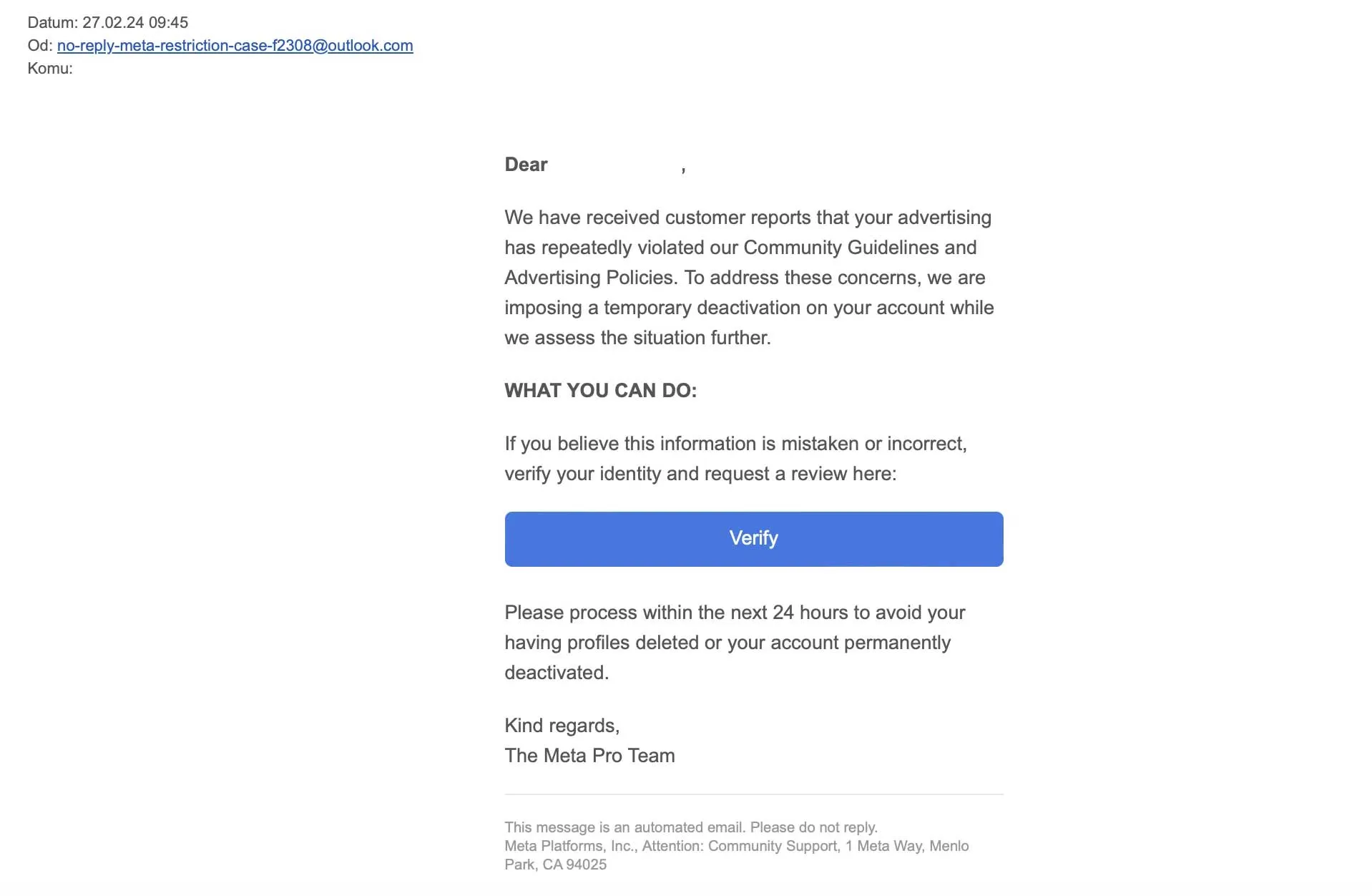
Notice that the email address does not match the official Meta address.
Prevention matters before it is too late
- Turn on two-factor authentication IMMEDIATELY if you have not already. Require it from everyone who has access to your company accounts.
- Use a password manager. Do not reuse the same passwords across multiple accounts.
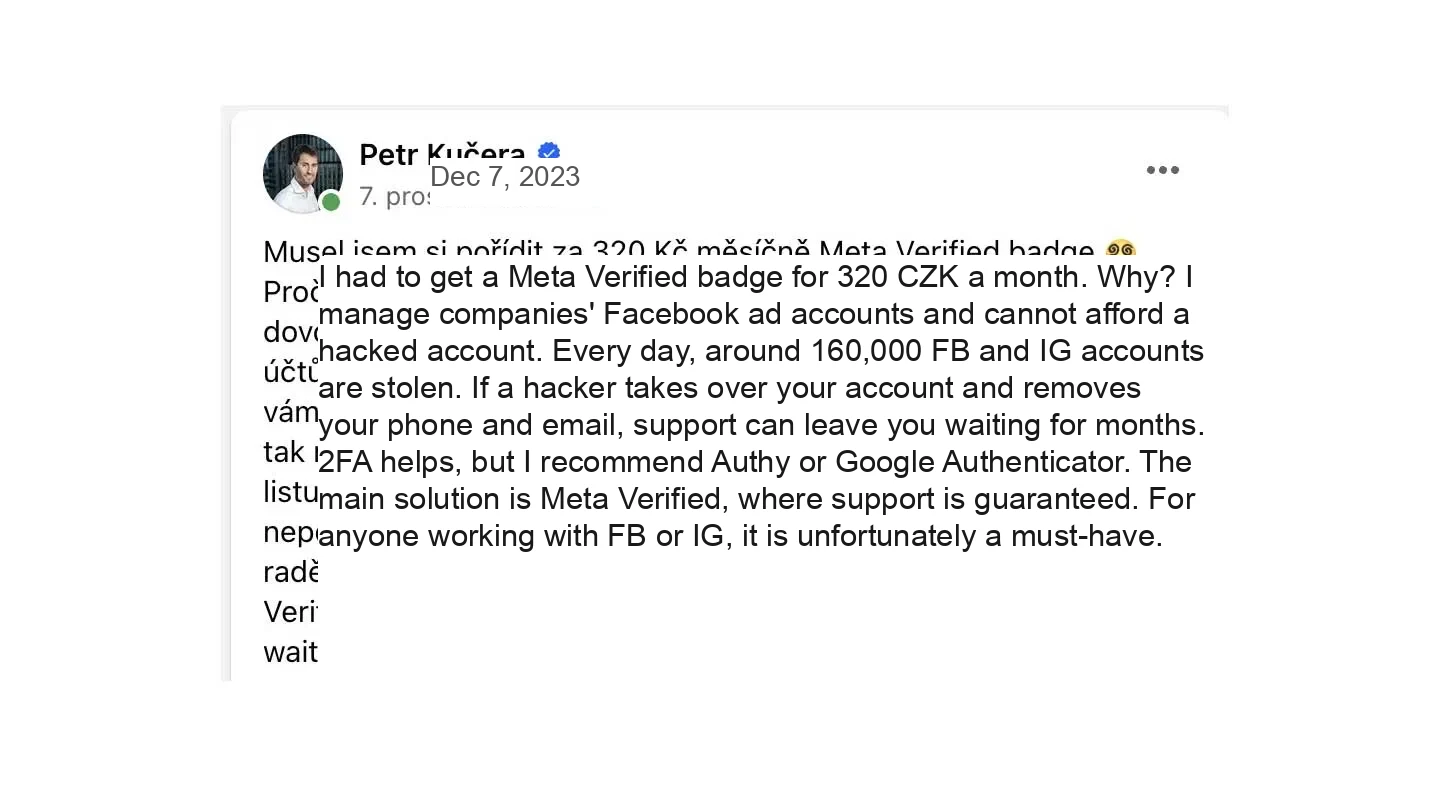
- Consider getting Meta verified. This is my appeal to the people around me who use Facebook and Instagram for business. I have seen several cases close to home where people lost years of work overnight. It is important to understand that you are not the true owner of these accounts. Meta is, and Meta does not have the capacity to resolve 58,000,000 hacked accounts a year, or accounts incorrectly flagged and blocked by its system.
- Also consider moving your content into the blog section of a website that you fully own.
What should you do if you fall victim to phishing on Facebook?
If you accidentally entered your username or password on a website you reached through a suspicious link, someone else may be able to log in to your account. You have several options:
- If you can log in to your account, find out how to secure it by setting a new password and logging out of all devices that are not yours.
- If you cannot log in to the account and your username or password does not work, find out how to recover the account.
- If you want to check whether anything unusual is happening with your account, read how to review recent activity and go through the latest emails sent by Facebook.
- If you use the same password for Facebook and your email, change it immediately! If you also use the login details you handed over to attackers on other well-known platforms, such as Netflix, Binance and others, you will need to change your passwords there too.
Thank you for your attention, and please share. Awareness matters. Tricks and techniques keep improving, and they can confuse more than a few people.
CEO & Performance Strategist





 Fast
Fast  Effective
  Nonstop