

 November 10, 2025
 How to Remove a Client from an MCC Google Ads Account When “Remove Access” Is Missing
Article Contents
- How to remove a client from MCC Google Ads when “Remove access” is missing
- What is MCC Google Ads and why use it?
- How is a client account linked to an MCC?
- How to remove an account from Google Ads MCC - the standard process
- Why is the “Remove access” button missing in MCC?
- How to remove a client from MCC when “Remove access” is missing
- Safely handing over an account when changing PPC agencies
- Measuring PPC campaign success and ROI after a change of management
- B2B vs. B2C PPC campaigns: what to focus on
- Where to advertise: a comparison of PPC platforms and formats
- FAQ: Frequently asked questions
- Conclusion: Stay in control and maximize the value of PPC advertising
- Sources used:
How to Remove a Client from MCC Google Ads When “Remove Access” Is Missing
- A Google Ads manager account (MCC) helps online marketing agencies manage multiple client accounts efficiently from one place.
- Removing a client account from an MCC requires administrator access. Without it, the “Remove access” button may not appear at all.
- If the unlink option is missing, the account must be disconnected by the client directly (the account administrator), or the agency must first add the client as an account administrator.
- The fix when the button is missing is to add a user with administrator permissions to the client account, then unlink the account from the MCC using the standard process.
- Setting up access correctly at the start of a partnership with a PPC agency helps prevent complications when the cooperation ends and the account is handed over.
- When an agency leaves, preserving data continuity (campaign history) is essential for accurate performance and ROI evaluation of your PPC campaigns.
Imagine you are ending your cooperation with your PPC agency and realize you cannot remove its access to your Google Ads account. The “Remove access” button is nowhere to be found. Panic starts to set in, along with concerns about data security and live PPC campaigns. Fortunately, there is a way through it. In this article, we explain how to remove a client account from MCC Google Ads step by step, even when the option is missing from the interface. That way, you regain full control of your advertising. As an experienced online marketing agency, we also share practical tips from real account handovers: how to prevent similar issues by setting access correctly at the start of the partnership, how to hand an account over safely to a new agency, and how to keep measuring campaign ROI throughout. Read on. Control over your account is closer than it may seem.
What Is MCC Google Ads and Why Use It?
A Google Ads manager account (MCC) is a special type of account that lets you manage multiple advertising accounts from one clear interface. The name MCC historically stands for “My Client Center”. A typical MCC user is a PPC agency or marketing specialist responsible for several clients at once. Instead of logging into each account separately, one set of login details gives you access to all the client accounts you manage. This saves time and makes campaign management easier. You can quickly switch between accounts, monitor performance in one place, and create cross-account reports.
The main benefits of a manager account:
- One login, many accounts: convenient management of multiple Google Ads accounts at once.
- Centralized campaign management: the ability to create and optimize PPC ads for multiple accounts from a single interface.
- Consolidated billing: connection to one payment profile (for example, monthly invoicing) for all managed accounts.
- Clear reporting: easy comparison of performance across different accounts and creation of summary reports.
- Flexible team access: you can invite multiple users to an MCC and assign different permission levels (for example, read-only vs. full management).
For example, the owner of a fashion e-shop and the director of a manufacturing company can both use the same PPC agency to manage their ads. The agency links these two Google Ads accounts to its MCC. As a result, it sees all campaigns neatly side by side and can work with them efficiently, without managing each account separately under a different login. Google Ads itself is Google’s online advertising platform, where advertisers bid to show their ads in search results or on partner websites. The manager account above those accounts then acts as a dashboard from which the agency keeps everything under control.
How Is a Client Account Linked to an MCC?
Linking always happens with the consent of the client account owner. The most common scenario looks like this:
- Link request: The agency (manager) asks the client for their Google Ads account ID (a number in the format XXX-XXX-XXXX). It then sends a link request to this ID from the MCC.
- Client approval: The client (or whoever manages the client’s Google Ads account) receives an email from Google with information about the request. They sign in to their account, go to Access and security -> Managers, and approve the request there.
- Account linking: Once the client confirms the request, their account appears in the agency’s MCC and the agency gains access to its campaigns. The client account still functions independently. The client can continue to access it normally with their own login. However, they do not have access to the parent MCC or to the agency’s other accounts.
Section summary: A manager account (MCC) is a useful tool for online marketing agencies because it enables centralized management of multiple Google Ads accounts. Linking with a client happens through a request and approval. The client always controls who is allowed into their account.
How to Remove an Account from Google Ads MCC - The Standard Process
Under normal circumstances, disconnecting (removing) a client account from an MCC is fairly straightforward. Google Ads offers two ways to end the link:
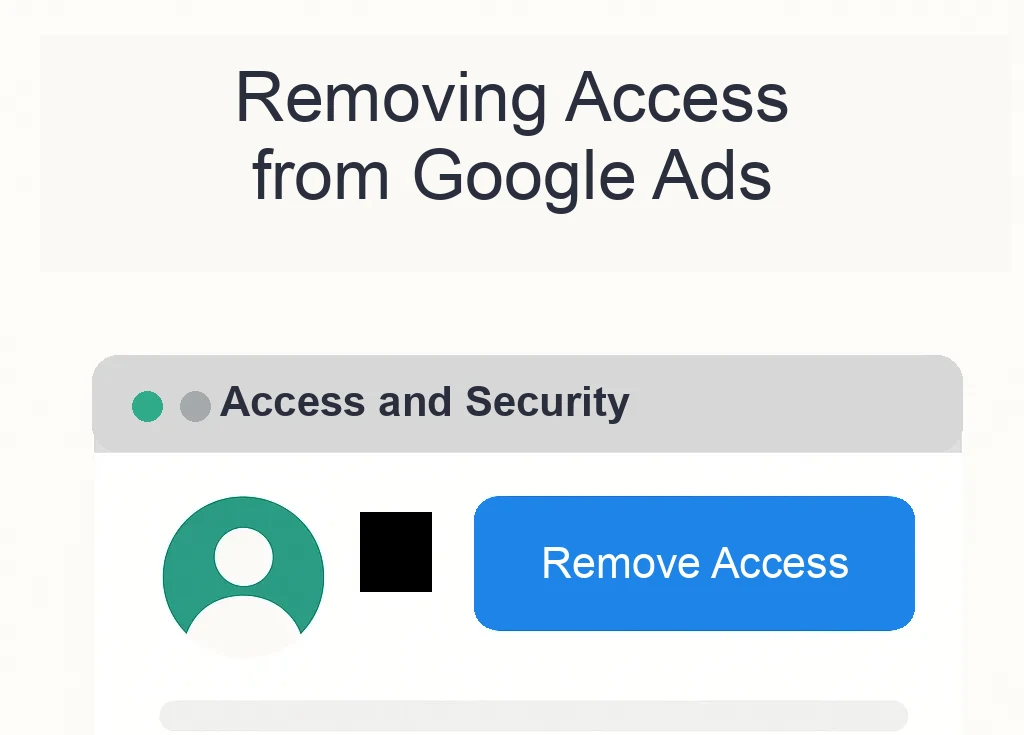
- Removing the manager from the client account side: The manager (MCC) can be disconnected directly in the client account settings. Go to Access and security -> Managers, find the connected manager account, and click “Remove access” in the Action column. The system asks you to confirm, then disconnects that MCC from the account. This option is available to client account users with administrator rights.
- Unlinking a sub-account from the MCC side: Alternatively, an administrator in the manager account can go to Sub-account settings (the accounts section in MCC). There, they tick the relevant client account and choose “Unlink” from the Edit menu. After confirmation, this also cancels the link between that account and the MCC.
Under standard conditions, either the agency (if it has the rights) disconnects the child account from its MCC, or the client (if they have the right role) removes the agency’s access from their account. Both paths lead to the same result: the accounts are no longer linked and the agency no longer sees the account.
The important point is that unlinking requires administrator access. Google states this clearly: to remove an account from an MCC, you must be an administrator of the relevant manager account or client account. If you are just a regular user, you will not see the unlink option. Likewise, a client without admin rights cannot simply disconnect an agency. They would first need higher permissions.
What happens after unlinking? All campaigns, data, and settings in the client account remain intact. Unlinking only breaks the bridge between the account and the manager. Ads keep running, and statistics are not lost. Only the agency (MCC) loses access to the account and can no longer manage it. The client can continue independently or link the account to another MCC. Campaign and conversion performance history remains unchanged in the account, which is crucial for evaluating future advertising performance.
Note: If the agency had set up so-called monthly invoicing for the client (payments consolidated through the MCC), unlinking interrupts this payment arrangement. The client then returns to individual payments (for example, by credit card), or a new manager sets up a different payment profile.
Section summary: As standard, a client account can be disconnected from an MCC either from the agency interface (MCC) or directly from the client account using the “Remove access” option. Administrator permission is always required. Unlinking does not remove data from the account or interrupt its operation. It only means that the given agency no longer has access to the account.
Why Is the “Remove Access” Button Missing in MCC?
Sometimes the expected unlink option simply is not visible. There are usually two reasons:
- You do not have sufficient permissions: If you are signed into the MCC but are not its administrator, you will not see the Unlink option (just as, for example, you cannot close an MCC account without the right permissions). Similarly, if you are in the client account interface as a user without admin rights, the “Remove access” button will be unavailable (greyed out) or missing. In that case, you need to ask someone with administrator access (for example, the account owner on the client side) to perform the unlinking.
- The account was created directly under the MCC and the agency is its “owner”: This is the most common sticking point. If the agency created a brand-new Google Ads account for the client from its MCC, it became the so-called account owner. That means the client account has no other administrator outside the MCC. In this situation, Google does not offer the button to remove the manager in the interface for security reasons. If it did, the account would be left without any administrator. Put simply, the system will not allow unlinking that would create an account nobody has full access to.
How can you tell this is your case? Usually by these signs:
- The Google Ads account was created at the agency’s request, and the client originally did not even have their own login to it (they may have accessed only preview accounts or reports).
- In Access and security -> Users in the client account, you may not see any users except the system account (the agency). The client’s email with an administrator role is missing.
- When trying to unlink the MCC from the account (if you manage to get that far), the system warns you that the account has no other owner or administrator.
Google Ads uses the concept of an “owner-manager” for client account ownership. The manager that creates the account automatically becomes the owner. This ownership access gives the agency full rights, including management of the account’s users. But if you want to remove such a manager, someone else must have administrator access on the account. Otherwise, removing the owner is not possible. That is why the removal button is missing or inactive in these cases.
PPC specialist’s view: In practice, I recommend that the client always has their own access to their Google Ads account with administrator rights, even when an agency manages the campaigns. This prevents situations where the agency creates the account and effectively “owns” it. Then, when the cooperation ends, the client can easily take the reins. They have their own login and can remove the agency’s access immediately. Unfortunately, we have taken over more than one client who could not even use their own account because the previous agency ran everything through its MCC without sharing access. Fortunately, there is a solution, although it takes a few extra steps.
Section summary: If you cannot see the Remove access option, either you do not have the necessary user permissions, or the account was created by the agency and the agency is its owner. In the second case, the system prevents unlinking an account that would have no administrator. First, you need to make sure the client has their own administrator access.
How to Remove a Client from MCC When “Remove Access” Is Missing
Now to the key question: what should you do when the account cannot be disconnected in the standard way? The solution is to add an administrator on the client account side and then unlink the account. The specific steps are:
- Adding a client administrator: First, make sure the client Google Ads account has its own administrator outside the MCC. If that is not already the client, add them. In practice, this means:
- Create a login for the client: If the client does not yet have access, create a Google account for them (ideally their company email on Gmail or Google Workspace) and add it to the Google Ads account as a user with Administrator permission.
- Or promote an existing user: If the account already has a user (for example, the client’s marketing manager) with a lower role, simply change their role to administrator.
- Only the current owner can perform this action, meaning the agency in its MCC (because it manages the client account’s users). In MCC, go to the given client account and add the client’s email with full rights in the User accounts section.
- Removing ownership (if it was set): If your MCC account was listed as the owner of the client account, it is recommended to remove ownership first:
- In MCC, go to Sub-account settings and add the “Owner” column.
- For the given account, click in the Owner column and choose Remove owner.
- This makes your manager account give up owner status. Note: this step can only be done if the client account has at least one admin user outside you. That is what step 1 was for.
- After removing ownership, your MCC remains connected as a manager, but it is no longer the exclusive owner. If needed, the client could now also disconnect the MCC themselves (because they now have admin rights on their own account).
- Unlinking the account from MCC: Now perform the standard unlinking. Either:
- From the MCC account: Select the client account in the sub-account list and choose Unlink.
- Or from the client account: Sign in as the client (under the new admin login), go to Access and security -> Managers, and click Remove access for the given agency.
- Both should now work. The button appears because the conditions have been met. Confirm the unlinking.
That is it. The client account is independent, and the agency no longer has access. Google sends both parties a confirmation email about the unlinking. For the client, the important point is that they now have full control over their Google Ads account. They can manage it internally, link it to another MCC (for example, a new PPC agency), or invite a consultant as a user.
Final tip: After unlinking, also check other connected services:
- In the Google Ads account, go to Settings -> Linked accounts and check whether the old agency had connected services such as Google Analytics, Conversion actions, or Google Tag Manager. If needed, move these links under the management of the new agency or your own.
- If any scripts or automation feeds were deployed (typically in MCC), they will not be available after unlinking. Make sure you have copied any important scripts, or request their code from the agency before unlinking.
- Check billing: after unlinking, go to Billing and payments in the account and add your payment card or set up your own billing if this has not already been done.
Section summary: If the unlink option is missing, you must first add an owner (administrator) from the client side to the client account. The agency can then safely remove its access, either directly or by letting the client do it with their newly obtained access. The whole process ensures that after unlinking, the client has full control over the account and the agency has no rights to it.
Safely Handing Over an Account When Changing PPC Agencies
When you decide to move to a new PPC agency in Prague or bring management in-house, it is important to think beyond simply disconnecting the MCC. The goal is a smooth transition with no outages and all important data preserved:
- Agree on an exact handover date: Ideally, disconnect the account shortly before someone else takes it over so the campaigns are not left unattended for long. For example, plan for the original agency to finish on the last day of the month and for the new agency to connect the account the very next day.
- Back up important settings: The original agency should export key settings for you, including the list of active campaigns, keywords, audiences, budgets, and any custom scripts. To be safe, you can also download your own copy of the account through Google Ads Editor before the change (a backup for comparison).
- Check conversion tracking: Make sure you have access to all conversion actions (Google Analytics, Google Tag Manager, website forms, and so on). The new online marketing agency will need these materials to evaluate campaign performance correctly. If some conversion actions were created by the agency (for example, offline conversion imports through their system), agree on their handover or new setup.
- Access to other tools: PPC campaigns often extend beyond Google Ads itself. Check that you have access to LinkedIn Campaign Manager, Facebook Business Manager (for Meta Ads), Sklik, or other platforms if the original agency managed them. Ideally, these accounts should be owned by your company, not the agency.
- Revoke old access: Once the cooperation ends and the account is disconnected, verify that the former agency does not have access anywhere. This is not just about Google Ads. Remove their access from Google Analytics, Data Studio, GTM, and social media accounts where relevant. In short, audit all your marketing tools.
- Communication with the new agency: Give the new agency all information about previous campaigns: budgets, key goals, results, what worked, and what did not. The more context they have, the faster they can build on previous work and avoid a drop in performance.
From a security perspective, less is sometimes more: the fewer outside parties that have access to your accounts, the better. If the old agency has finished, it has no reason to keep access, so remove it. As one international study notes, every additional manager linked to an account represents a certain risk (for example, a potential mistake, data leak, and so on). That is why it is wise to keep access up to date and remove links you no longer need.
Section summary: Handing an account over to a new agency is more than clicking “unlink” and “link”. Plan the timing, back up data, keep an eye on conversion tracking, and remove old access wherever possible. This protects your marketing data and ensures your PPC campaigns continue running consistently after the manager changes.
Measuring PPC Campaign Success and ROI After a Change of Management
Preserving data continuity is not important for its own sake. You need to be able to evaluate how campaigns are performing and whether the management change has brought improvement. That is why moving to a new agency should also include checking metrics and setting up proper ROI reporting (return on investment).
ROI (Return on Investment) in a PPC context expresses how much revenue you earn for every CZK 1 invested in advertising. The ROI calculation is simple: (Revenue from the campaign - Campaign costs) / Campaign costs * 100%. Example: You spent CZK 50,000 on Google Ads and gained orders worth CZK 200,000 from the campaigns. ROI = ((200,000 - 50,000) / 50,000) * 100% = 300%. This means the net return is three times the cost.
For B2B companies, however, one acquired enquiry (lead) often does not mean immediate revenue. You need to track the entire sales cycle. For example, if a campaign brings in 10 enquiries and the sales team closes 2 of them worth CZK 100,000 each, then revenue is CZK 200,000. Let the costs be CZK 50,000. We calculate ROI the same way again, and it comes out at 300%. If we stayed only with the number of leads, however, ROI might appear lower. That is why in B2B, connecting Google Ads with a CRM system and evaluating lead quality, not just quantity, is critical. After all, 70% of marketers focused on lead-gen say pressure on profitability is growing and they must focus on the quality and value of acquired customers, not just the number.
For B2C services (for example, hotel reservations or service bookings), the path to conversion is usually shorter. The customer often orders online directly or requests a service with a defined value. There, you see revenue directly and can calculate ROI more easily for each conversion. Even with B2C services, however, it is worth watching customer lifetime value: if one campaign brings you a client who returns repeatedly, the real benefit is greater than the first purchase shows.
Tips for measuring success after changing agency:
- Set the same KPIs as the previous manager used (for example, CPA - cost per acquisition, CPL - cost per lead, conversion rate, ROI). This lets you compare performance before and after objectively.
- Ideally, set aside an overlap period: for the first 1-2 weeks, let campaigns run unchanged even after the new agency takes over. This gives you reference performance. Only then make more significant optimizations. This helps prevent wrongly attributing a performance drop or rise to bad setup rather than normal market fluctuation.
- Monitor the ratio of costs to revenue (ROAS) continuously. If a new strategy promises, for example, more qualified leads at a higher price, CPL may temporarily rise, but those leads may later bring higher revenue. Be patient and evaluate results over a longer period (for example, a quarter).
- Do not forget attribution: If a channel is added to or removed from the marketing mix (for example, the new agency launches extra YouTube advertising), it affects the customer journey. Evaluating success should take into account that different channels play roles at different stages (awareness vs. conversion).
With analytics set up correctly, you should be able to compare apples with apples even after a personnel change, meaning comparable metrics. The goal is for PPC investment to be as well targeted and profitable as possible. For example, by deploying so-called value-based bidding (a bidding strategy based on customer value), one software company increased ROI by 96% while also increasing conversions by 50%. But optimizations like these require quality data, meaning a connection between advertising platforms and results (revenue, closed deals). After taking over the account, therefore, verify that all conversion actions are tracking correctly and that offline results (for example, from CRM) are being imported into Google Ads where relevant.
Section summary: After disconnecting the account and changing managers, do not forget to monitor campaign performance carefully. ROI and other key indicators tell you whether the change helped. Define a consistent measurement methodology, connect Google Ads with your business data, and evaluate not only the number of conversions but also their quality and value for your business.
B2B vs. B2C PPC Campaigns: What to Focus On
Whether you manage campaigns yourself or with help from an agency, the strategy should differ depending on whether you target companies (B2B) or end consumers (B2C). PPC advertising can generate demand in both segments, but the approach is not universal:
B2B (Business-to-Business):
- Longer decision cycle: The customer is a company, the decision is usually made by more people, and it takes longer. PPC campaigns should reflect this. Expect that a lead may “mature” for weeks or even months. Retargeting and nurturing (for example, through emails or LinkedIn campaigns) are essential so contacts do not disappear from view.
- Smaller audience, higher value: B2B audiences tend to be narrower (for example, “facility managers in industry”), but the value of one acquired client is high. You can therefore allocate budgets to narrower, precisely targeted campaigns and keywords. For example, instead of the general term “cleaning services”, you target “cleaning for production halls Brno” and similar terms.
- Emphasis on lead quality: As mentioned in the ROI section, quality is critical in B2B. It is better to get 5 relevant enquiries, 2 of which turn into deals worth hundreds of thousands, than 50 general questions that lead nowhere. That is why B2B campaigns often use bidding strategies optimized for conversion value or intelligent campaign types such as Performance Max with real revenue imported from CRM.
- Content and offer: B2B customers look for expert content. Use PPC not only for direct lead generation but also to offer whitepapers, webinars, and case studies. Through forms (Lead Forms), you can collect contact details in exchange for useful content and then continue working with the lead.
B2C (Business-to-Consumer) - services:
- Faster conversions: The customer is an individual who often decides alone and quickly. PPC campaigns can therefore more often aim directly at an online sale or booking. For example, a hair salon can target appointment bookings, a car service can target vehicle inspection bookings, and a language school can target course applications.
- Larger audience, emotion in the ad: For B2C services (for example, a fitness center or restaurant), the potential customer base is wide. The advertising message should be attractive and quickly understandable, and emotion often works (“You deserve to relax - massages with 20% off only until the end of the week!”). There is more room for creativity and visuals, for example in Display campaigns or YouTube Ads that build awareness.
- More channels: B2C services can effectively use different platforms. In addition to Google search, there is Sklik (to reach Seznam users) and social networks (Facebook/Instagram) for broader reach. If, for example, you are promoting a new beauty salon, a visual campaign on Instagram can bring in many prospects whom you then “bring over the line” with Google Ads remarketing when they search for reviews.
- Reviews and location: Consumers rely on reviews and convenience. Do not forget to work with Google My Business and maintain excellent ratings. That is also part of marketing. For localized services, target PPC locally (for example, a radius around the branch, keywords with the city name). A PPC agency can help you set up local campaigns so they reach people at the right moment (for example, using location and call extensions for quick contact).
Of course, there are common denominators too. In both cases, you need well-set targeting, compelling ads, and campaign optimization based on data. But understanding the different circumstances of B2B vs B2C helps you allocate budget more effectively. For example, B2B tends to invest more in LinkedIn Ads or expert content, while B2C invests more in YouTube videos or Instagram to create emotion.
Section summary: B2B campaigns focus on lead quality, narrower targeting, and working with a longer decision cycle. B2C campaigns often rely on immediate action, broad reach, and emotional appeals. Each segment requires a slightly different strategy, and good PPC campaign management reflects this in advertising platform setup and format selection.
Where to Advertise: A Comparison of PPC Platforms and Formats
Below is a brief comparison of the main PPC platforms and advertising formats you can use to promote your services. Each combination has a role to play in a marketing strategy:
| Goal | Format/Platform | When to use | Benefits | Risks/limits | Main KPI |
|---|---|---|---|---|---|
| Generating B2B leads (enquiries from companies) | Google Ads - Search Network (text ads in search) | When potential customers are actively looking for your services or solutions (high intent). | High user intent, measurable action (website click, form submission). | Higher cost per click in competitive industries, limited search volume for highly specialized services. | CPL (cost per lead), conversion rate, % of qualified leads. |
| Increasing brand awareness and reaching a wider audience (B2C and B2B) | Google Ads - Display Network / Demand Gen (banner and responsive ads on websites, in Gmail, and Discover) | When you need to reach users who are not actively searching yet (top of funnel), or remind them of your brand through remarketing. | Broad reach and frequency, the option to use attractive visuals; suitable for remarketing to past visitors. | Lower click-through and conversion rates (users may not be in the decision phase), risk of banner blindness. | CPM (cost per thousand impressions), CTR (click-through rate), number of impressions, assisted conversions. |
| Building trust and presenting a product/service through a story | YouTube Ads (video ads) | When you want to explain a complex service to the audience or evoke emotion; suitable for B2C services (lifestyle, experiences) as well as brand-led B2B messages. | High engagement, video combines image and sound; large reach (YouTube is the second-largest search engine). | Many users skip ads (you must capture attention in the first 5 seconds), more difficult direct measurement of impact on sales. | Views (view rate), % of video completed, increase in brand lift metrics (indirectly), or conversions from a subsequent website visit. |
| Local reach among Czech users who prefer Seznam.cz | Sklik (search and display network) | When you target audiences in the Czech Republic and want to expand reach beyond Google; especially among older demographics and segments strong on Seznam. | Lower auction competition than on Google, specific formats on the Seznam.cz homepage; reach among the Czech population that does not use Google. | Lower search and traffic volume compared with Google, more limited advertising options and targeting; the need to manage another platform separately. | CTR, conversions and CPA from Sklik, Sklik’s share of total leads. |
| Immediate interaction with prospects, community building | Meta Ads (Facebook/Instagram ads) | When you want to quickly reach a specific audience by interests and demographics; suitable for B2C promotions, events, and lifestyle services. | Precise targeting by interests and behavior, visual formats (images, videos), the option for interaction (likes, comments); ideal for viral content distribution. | Short user attention while scrolling, ads can feel intrusive; conversions are often more assisted (the user may decide later). | Engagement (click-through rate, reactions), conversions (direct and assisted), CPA for acquisition campaigns. |
Of course, this table is not exhaustive. There are other channels (LinkedIn Ads for B2B, Bing Ads, and recruitment specialists may use Indeed Ads, and so on). However, for most B2B and B2C services in the Czech Republic, Google Ads and Seznam Sklik play the leading role, complemented by suitable social networks. The key is to choose the format according to the goal: sometimes you need immediate responses (then you choose search or Facebook lead ads), while other times you are building a brand (YouTube, the Display Network). A PPC agency will help you build the right mix and continuously optimize it based on results.
FAQ: Frequently Asked Questions
- What is a Google Ads manager account (MCC)?
-
It is a special type of Google Ads account that acts as a parent account for managing multiple accounts at once. It allows agencies or marketing managers to manage all their advertising accounts from one interface with one login. MCC makes it easier to switch between accounts, monitor performance in bulk, and set up consolidated billing.
- How do I add or remove a client account in MCC Google Ads?
-
Adding is handled through a link request. In MCC, you enter the client account ID and the client confirms the request by email. Removal (unlinking) is done either in MCC (the Unlink function in sub-account settings) or directly in the client account (a user with admin rights clicks Remove access for the given manager). Administrator access is always required, otherwise you will not see the option.
- Why do I not see the “Remove access” option in MCC for disconnecting an agency?
-
If the button is missing or greyed out, you most likely do not have sufficient permissions (you are not an admin), or the account was created by the agency and the agency is its owner. In that case, Google will not allow the manager to be disconnected until there is another administrator on the account. The solution is to add an admin to the account (for example, the client themselves), then remove the manager.
- How does handing a Google Ads account over to a new agency work?
-
First, the original agency removes its access (or you disconnect it). The new agency then sends you a request to link its MCC with your account. You approve this in the access settings. It is important to pass all information to the new agency (budgets, goals, previous results) and ensure conversions and tracking are set up correctly so it can take over smoothly.
- Will I lose any data or campaign settings after disconnecting the agency?
-
No, all data remains in your Google Ads account. Unlinking only removes the connection to the manager account. Campaigns, performance history, conversions, all of that stays there. You only lose any MCC-specific benefits, such as consolidated billing or scripts set at MCC level. That is why, before unlinking, you should save script outputs or agree on their handover, for example.
- What should I do if the agency refuses to hand over access to my Google Ads account?
-
Ideally, prevent this in the contract from the start. You, as the client, should always have ownership rights to the account. If it has happened and the agency is holding the account “hostage”, you can try contacting Google support and asking them to intervene (they will examine who the account is registered to). In the worst case, you can create a new account and start from scratch, but you will lose history. Lesson for the future: insist that the account is registered to your email or that you are at least an administrator.
- Does it make sense to use Seznam’s Sklik in the Czech Republic in addition to Google Ads?
-
Yes. If you target the wider public in the Czech Republic, Sklik can reach users who primarily use Seznam.cz. Some groups (for example, older audiences) spend a lot of time on Seznam. Sklik is especially useful for B2C services and retail in the Czech market. However, it usually generates a smaller conversion volume than Google. We recommend testing PPC campaigns on both platforms and comparing the cost-benefit ratio.
- What is the difference between a PPC campaign for B2B and B2C?
-
The difference is mainly in strategy. B2B campaigns target a narrower group of professionals, the quality of each lead matters, and the decision process is longer. They use more LinkedIn, detailed content, and lead scoring models. B2C campaigns target the wider public, and customer decision-making is faster. Emotion, visual ads (YouTube, Instagram), and promotional offers play a bigger role. B2B aims to acquire fewer but highly qualified contacts; B2C often works with higher volumes and immediate conversion (sale, order).
- What does ROI mean in PPC and how do I calculate it?
-
ROI means return on investment. In a PPC context, you calculate ROI by subtracting advertising costs from the revenue (returns) generated thanks to the advertising, dividing the difference by the costs, and multiplying the result by 100% to express it as a percentage. For example, if a campaign generates CZK 100,000 in revenue and you spend CZK 25,000 on it, ROI = ((100,000 - 25,000) / 25,000) * 100% = 300%. ROI of 100% means break-even (no profit, no loss), and anything above 100% indicates net profit from the investment.
- Why is it important for the client to have their own Google Ads account (instead of using the agency’s account)?
-
Because it gives you full control. When you own the account, you can change agency or login details at any time, view history, compare agency offers, and so on. If everything ran on the agency’s account, you risk losing data and active campaigns when you leave (the agency can keep them). Your own account = transparency, control over budget and data, and the ability to invite or remove partners at any time. A serious PPC agency will always help you create your own account or manage yours, rather than running campaigns on its own account behind your back.
Conclusion: Stay in Control and Maximize the Value of PPC Advertising
To sum up, Google Ads offers excellent opportunities for acquiring customers, whether you are a small B2B company selling specialized services or a larger business focused on end consumers. But the important thing is to always stay in control of your advertising accounts. When working with an agency, it pays to set clear access rules right from the start. Ideally, keep the account under your own management and only invite the agency in. If the relationship ends and there are complications with unlinking, you now know what to do: add admin rights, safely disconnect the agency, and hand everything over properly.
PPC advertising can be a powerful source of enquiries and revenue, but only when you have visibility into results and measure success correctly. Track ROI, test new platforms (for example, whether Sklik or YouTube also fits your business), and do not be afraid to ask your agency for regular reports and transparency. Proper PPC campaign management means not only knowing how to set up and optimize campaigns, but also keeping access, data, and evaluation in order. If you follow the principles described above, your marketing investments will be secure and will pay off over the long term.
What to do tomorrow: Check who has access to your Google Ads account (the Access and security section). Remove any old agencies or email addresses of people who no longer work on the campaigns. Make sure you (your company) have administrator permission. And if you are planning a change in PPC management, return to this guide and go through the checklist for a smooth handover, from access to results reporting. Next time, you will be one step ahead and leave nothing to chance.
Sources Used:
Official Google Ads Help (support.google.com) - https://support.google.com/google-ads/answer/7456531
Official Google Ads documentation (support.google.com) - https://support.google.com/google-ads/answer/6139186
Think with Google (thinkwithgoogle.com) - https://business.google.com/think/consumer-insights/high-value-customers-for-sustainable-growth/
Google Ads (wikipedia.org) - https://en.wikipedia.org/wiki/Google_Ads
Related Articles
CEO & Performance Strategist



 Fast
Fast  Effective
  Nonstop